
If you have run out of pro minutes and want to continue subtitling your conversations, don't worry, we have you covered.
Please note: translation is not included within XRAI Essentials. To use translation, you will need to purchase pro minutes.
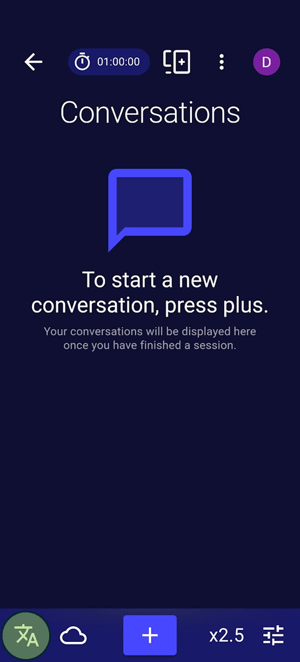
- To switch to free offline transcription, press the language/engine icon in the button left:
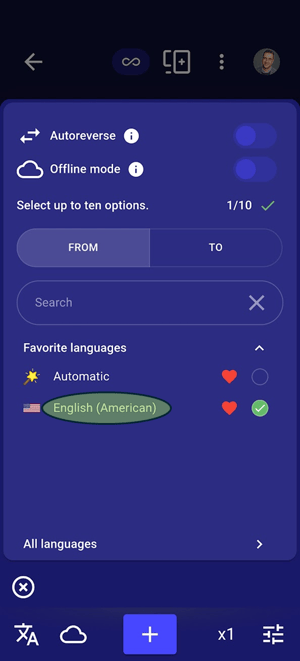
- Tap the language you are using:
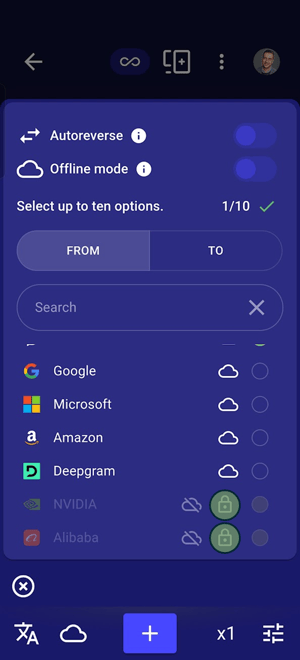
- You can choose from NVIDIA and Alibaba as your transcription provider. NVIDIA works better for North American and European languages, Alibaba for Middle Eastern and Eastern languages. In order to download the models, click the padlock next to the one you wish to download:
- You will be taken to the offline models download page. Select the Parakeet TDT 0.6B model for NVIDIA:
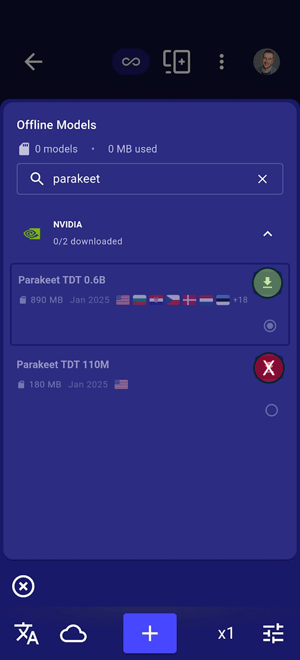
Or you can choose from the Multilingual or Yue model for Alibaba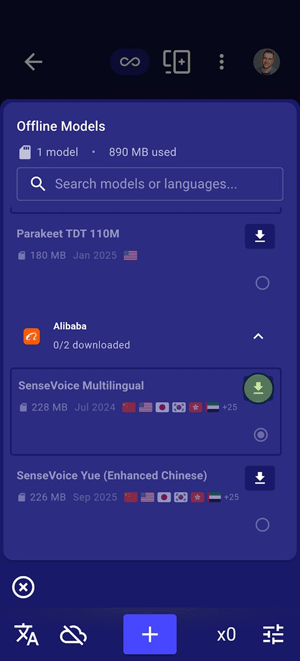
- Once the models are downloaded it should look like this:
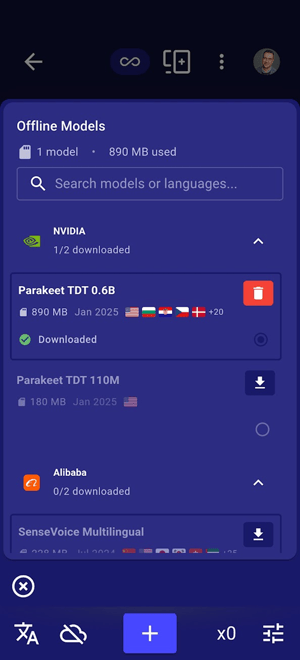
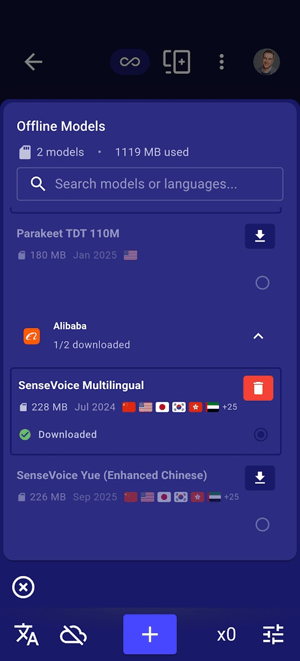
- Once the models have been downloaded, return to the language tray and you should now be able to select them:
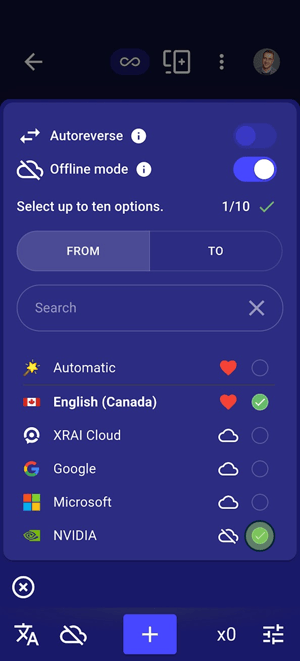
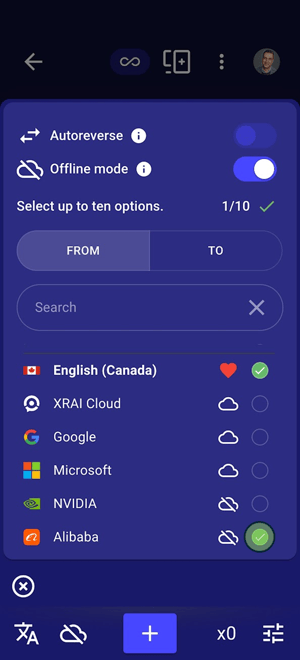
- You will now see the icon in the bottom left change to tell you that you are now using offline processing and your meter rate will drop to x0.You can toggle any time between online and offline by tapping the symbol at the bottom.
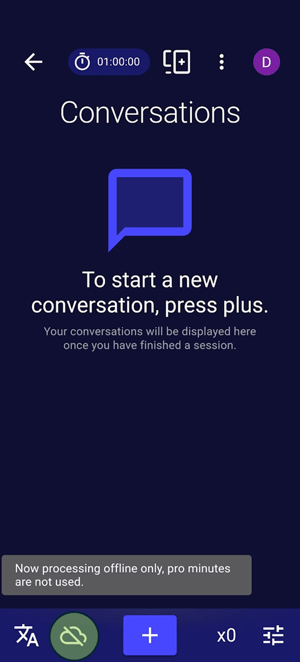
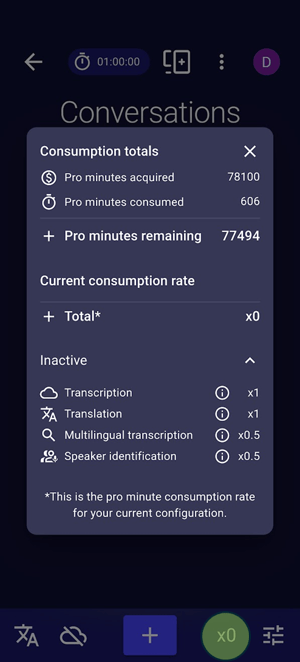
Congratulations, you are now back to subtitling.
Please Note: free transcription on your phone is dramatically less accurate that transcription in the cloud with pro minutes. No, the app didn't just get dramatically worse, the transcription engine did. For the same experience you have been getting until now, you can subscribe or buy top-up packs here.
Caution: Offline transcription is powered by LLM-based AI. If you don't continue to talk, it can sometimes transcribe words which were not spoken. In can sometimes invent words that were never spoken. Exercise caution and always use the Cloud transcription providers for the best accuracy.